Your existing systemPostgreSQL · POS · ERP · approved exports
DEFINED RECORDS · CONTROLLED ACCESS
SFE integration layer
Map → validate → queue → reconcile
APPROVED INTERFACES
MyInvoisSubmit & check status
DocumentsPrepare & approve
ApplicationsConnect & extend
Architecture illustration. Interfaces and responsibilities are confirmed for each project.
01 / WHAT WE CAN CONNECT
A useful addition. Without losing the context.
Your existing database
Work with the system your team already understands. Assess PostgreSQL schemas, ownership, identifiers and the safest way to read and synchronise the required records.
Schema and data-quality review
Read-only discovery access where possible
Controlled API or export-based integration
The missing connection
Connect a POS, ERP, CRM, customer portal or supplier system through a defined interface, with clear ownership of what can be created or updated.
API contracts and field mapping
Idempotent requests and duplicate control
Queues, retry policies and exception handling
Documents that follow the work
Build the quotation, invoice, delivery order, statement or approval workflow around your actual business process.
Numbering and document lifecycle
Templates, approvals and audit history
PDF output and reconciliation reports
Equipment to application
Bring the hardware and software scope together: readers, printers, terminals, gateways and operational devices.
Device and protocol assessment
Installation and acceptance testing
Support boundaries and handover notes
02 / MALAYSIAN e-INVOICE INTEGRATION
More than a submit button.
A successful API response is only part of the journey. Your team also needs to know what was accepted, what needs correction and how each result relates to its original record.
Discover
Identify the source records, taxpayer responsibilities, software access and document types.
Map & validate
Map source fields to the supported MyInvois document structure and handle missing or inconsistent information.
Connect & test
Configure the authorised taxpayer or intermediary connection, then test representative cases in the appropriate environment.
Submit & reconcile
Track submission references and validation results. Return the outcome to the source workflow and provide an exception queue.
Hand over
Document access, monitoring, recovery, support and the responsibility for future API or regulatory changes.
Quoted integration development. This website is not a live MyInvois submission service or a claim of LHDN certification. Tax treatment and applicability must be confirmed with the business’s tax adviser.
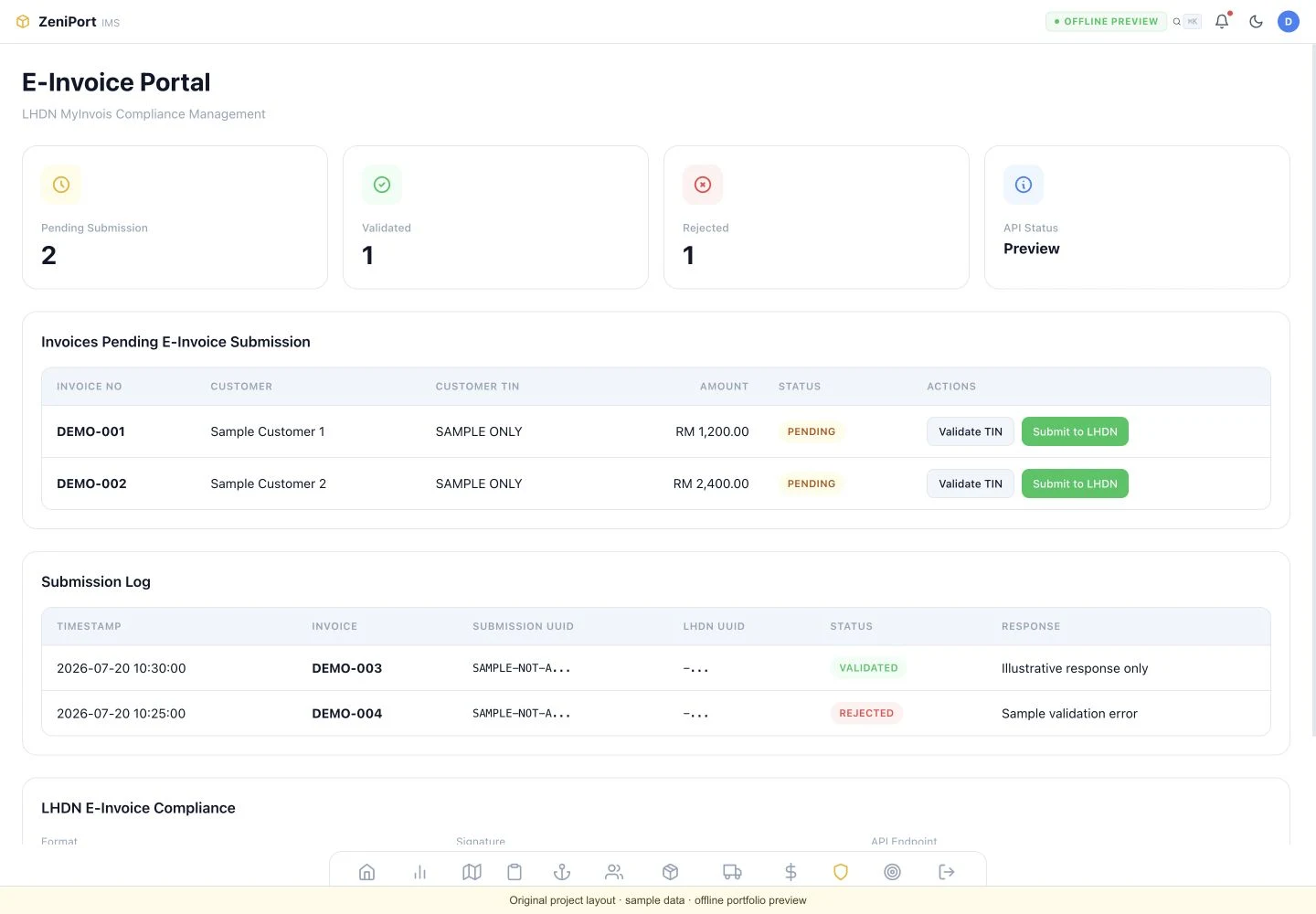
FROM THE PROJECT ARCHIVE / ZENIPORT A recovered interface showing submission preparation and exception records. Sample data; not a live connection.Explore the original product layouts
03 / START WITH THE BUSINESS PROCESS
Different companies. Specific requirements.
Retail & multi-outlet
POS transactions, customer particulars, returns, e-Invoice requests and daily reconciliation.
Distribution & supply
Orders, stock references, delivery documents, customer invoices and supplier interfaces.
Transport & logistics
Job numbers, shipments, vendor charges, customer billing and operational documents.
Professional services
Quotations, approvals, milestone billing, recurring service records and customer portals.
Manufacturing & maintenance
Work orders, equipment records, purchase workflows, inspection results and document control.
People & administration
Leave, claims, payroll interfaces, approval chains and employee document workflows.
A connection you can account for.
A written scope and named source systems
A field map and agreed data-access permissions
Representative tests, including rejected and duplicate records
A deployment, backup and rollback plan
Operational documentation and agreed support responsibilities
Fees depend on interfaces, data quality, document types, locations and ongoing support. Discovery, implementation and recurring costs are itemised separately before work begins.
04 / A BETTER FIRST CONVERSATION
Tell us what needs to connect.
Prepare a short brief for your technical team and ours. No database export, customer records or passwords are needed at this stage.
This form prepares text in your browser. Nothing is submitted until you send the email from your mail app.